Acroprint
Acroprint timeQplus V3 Biometric Fingerprint Time and Attendance System
Details
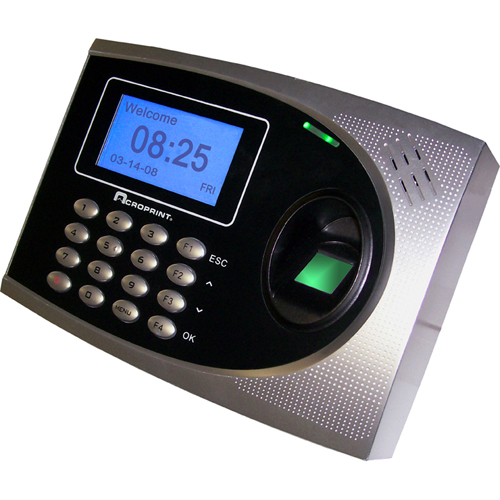
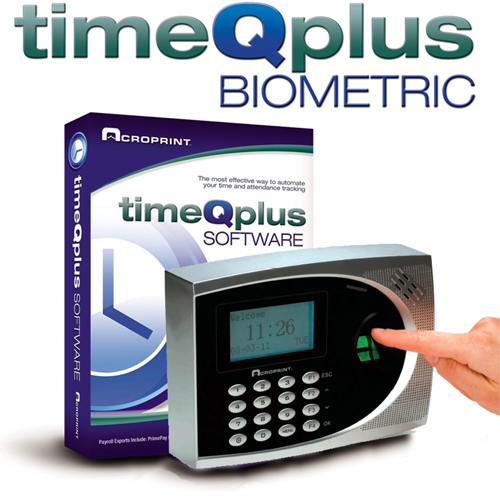
Acroprint timeQplus V3 with TQ600 Biometric Clock Terminal
- Acroprint timeQplus V3 Network Software
- TQ600 Biometric Fingerprint Clock Terminal
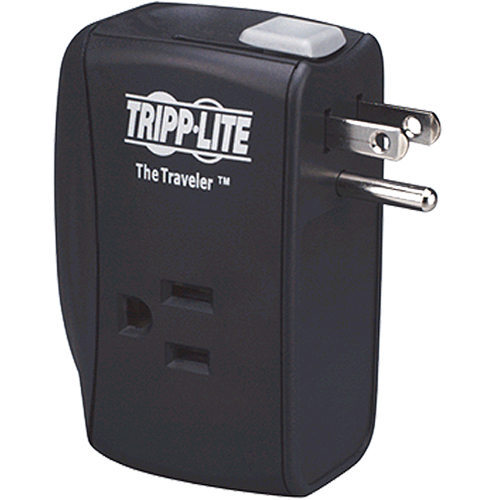
- Power Supply for Clock Terminal
- 5 feet RS232 communication cable
- 5 feet USB cable
- 5 Ethernet (Cat 5) cable
- Online Help
FREE Download: Acroprint timeQplus V3 Biometric Fingerprint Time System Brochure
FREE Download: Acroprint TQ600 Biometric Clock Terminal Brochure
FREE Download: Acroprint TQ600 Terminal User Manual
Product Description
The Acroprint timeQplus V3 Biometric offers a variety of options to perfectly suit the way you do business - right now and into the future. Control your labor costs while you save time and money on payroll preparation. With timeQplus Biometric, up to 125 employees clock in and out with a simple finger-scan at the terminal, or via keypad entry with either their fingerprint-scan or password.. (upgradeable to 250 employees)
Please note: If upgrading from a standard timeQplus V3 software (PC Punch Software), your system must have a Software Network Upgrade installed before you can install Proximity or Biometric terminals. You can mix-and-match Proximity and Biometric terminals on a single system.
Terminals feature a large and bright backlit LCD display and can be connected to your PC or network via USB, serial (RS232) or Ethernet. Each terminal's built-in memory can store up to 50,000 transactions. An internal battery ensures punches stored in the terminal are retained even in the event of a power outage. You schedule the software to automatically poll the terminals and retrieve the stored transactions.
Terminals are available in your choice of English/Spanish or English/French (specify at time of purchase).
EASY TO INSTALL, EASY TO USE
The timeQplus system is an accurate and easy-to-use record keeping solution ideal for many work environments. This time and attendance solution adapts to the way you do business, not the other way around.
You can quickly install the timeQplus software yourself. A helpful user manual and built-in software "Wizards" will guide you through configuring the software to reflect your timekeeping and payroll policies. You can configure the software interface to display in your choice of English, Spanish or French.
The timeQplus software accommodates two classes of overtime plus 7th day overtime for weekly, bi-weekly, semi-monthly or monthly pay periods. You can configure up to 12 shifts, each with their own standard start and stop times and lunch rules.
The software records hours worked for overtime-eligible employees, and records sick time, vacation, holidays and other absences for salaried exempt employees. There's no longer any need to use different tracking methods for exempt and non-exempt/hourly employees — all your employees can use timeQplus.
PUNCH IN
EDIT TIME CARDS
RUN REPORTS
System Requirements
- PC with Pentium® III 600 MHZ or higher
- 512 megabytes of RAM
- 500 MB of free space on the PC's hard drive
- CD-ROM or DVD-ROM
- Monitor and video card capable of 1024 x 768, 256 SVGA resolution
- Mouse or other pointing device
- Available RS232 communication 9-pin serial port or USB slot or Ethernet connection
- Microsoft® Internet Explorer 6.0 or above
- Windows® Vista™ Business or Enterprise, Windows XP™ Professional, Windows Server™ 2003, Windows 2000 Professional
- Attached printer for hard copy reports
Warranty Information
Acroprint offers a one-year manufacturer's limited warranty. Warranty does not include consumable parts. With few exceptions, all are return to depot for service. User must pay for shipping to depot. Repaired products will be returned with shipping charges prepaid.